Trunk Flaky Tests lets your teams detect, track, quarantine, and fix flaky tests in your codebase. Trunk can also identify broken tests — tests failing consistently at a high rate that indicate real regressions needing immediate fixes, not just quarantining. Flaky Tests is language, environment, and framework-agnostic. Let’s explore how Trunk Flaky Tests’ features help you tackle flaky tests. If you can’t wait to try Trunk, follow our getting started guide. You can see an overview of Trunk Flaky Tests in this video.Documentation Index
Fetch the complete documentation index at: https://trunk-4cab4936-sam-gutentag-flaky-tests-new-monitors.mintlify.app/llms.txt
Use this file to discover all available pages before exploring further.
Understand the impact
Your dashboard shows a comprehensive overview of your test suite’s health at a glance. It lets you see important impact metrics like the number of flaky tests, PRs impacted by flaky tests, and PRs rescued by quarantining flaky tests.

Track every flaky test
You can find a list of known flaky tests complete with important information like their impact on PRs and if someone’s working on a fix. For more granularity, you can also inspect individual tests for their execution history, results, and status changes.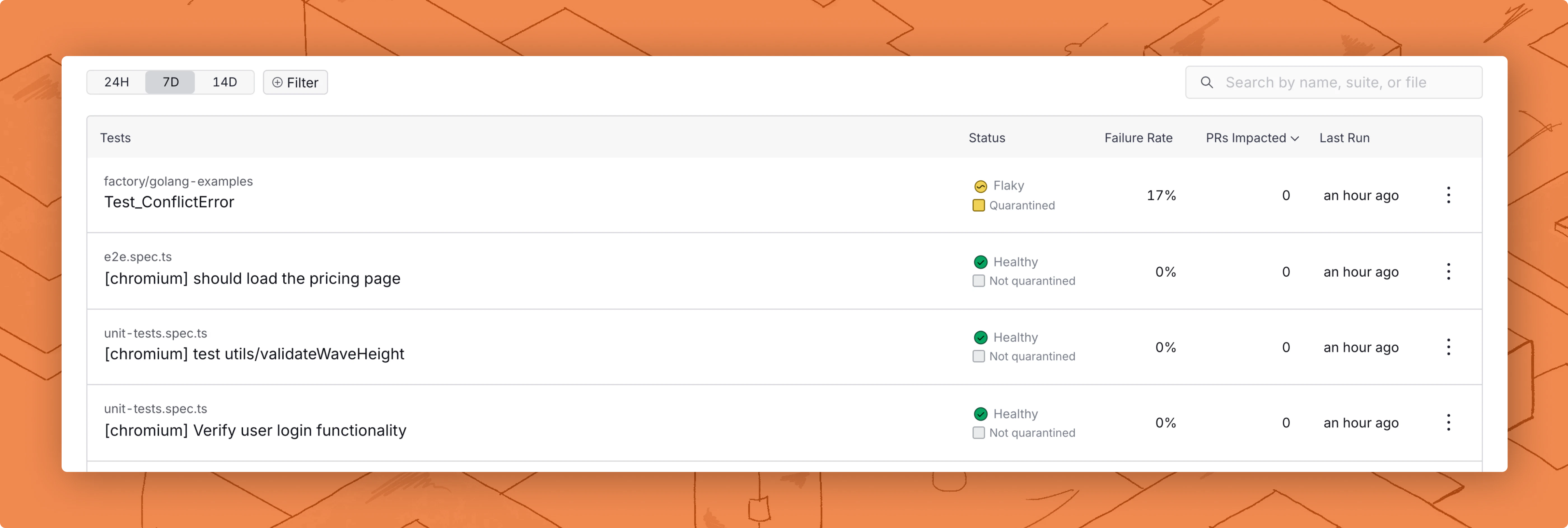
Stay in sync
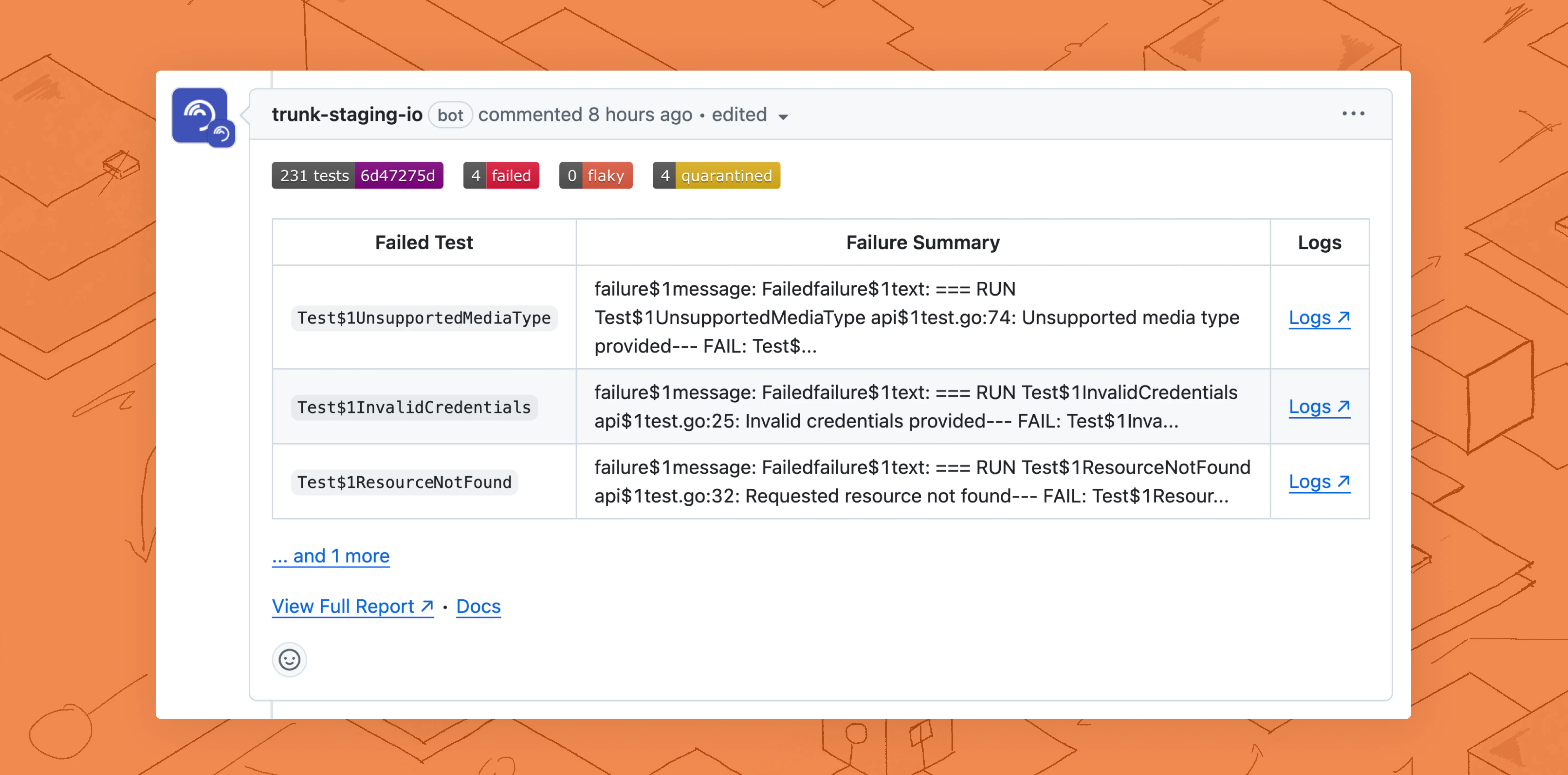
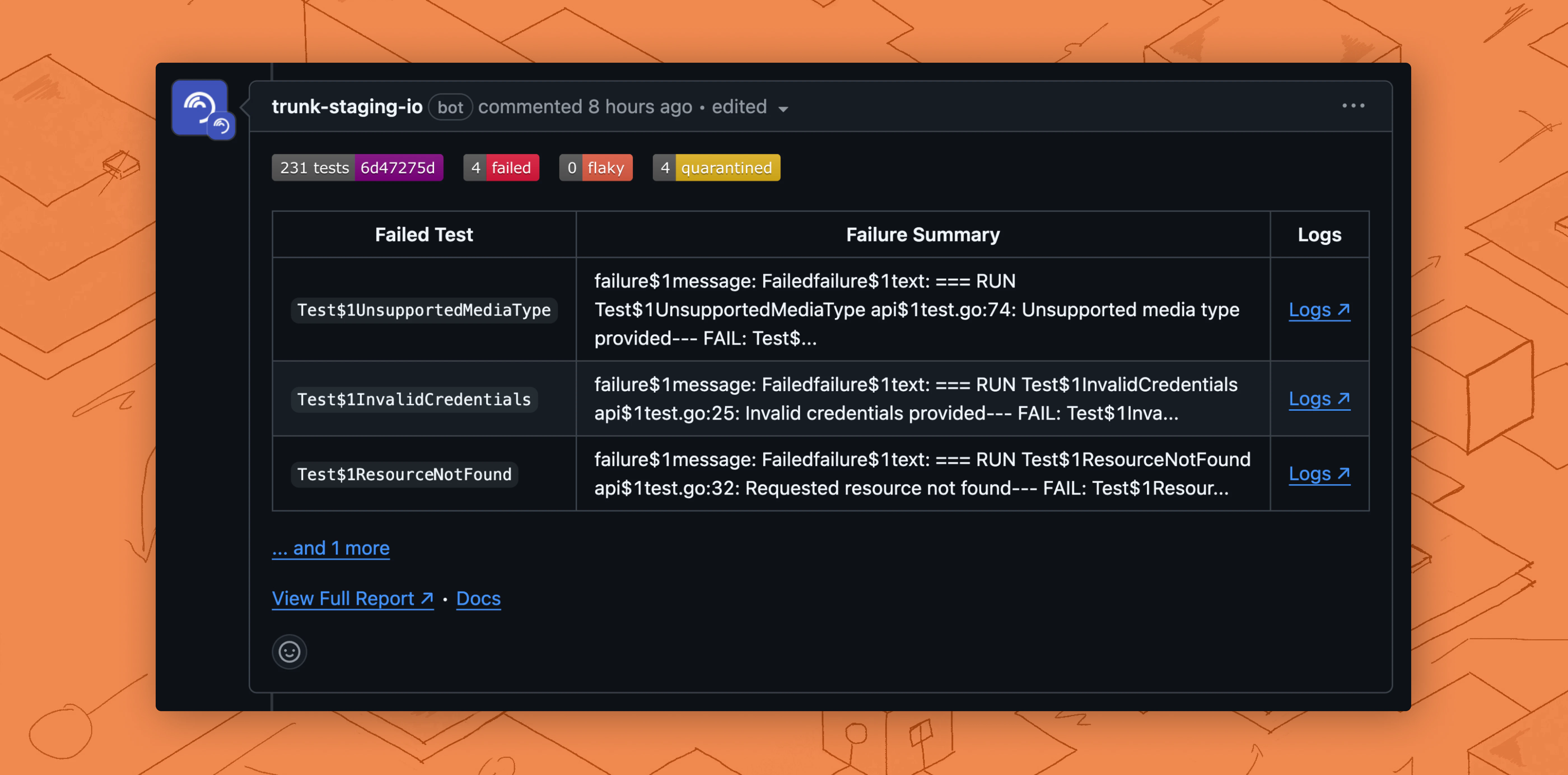
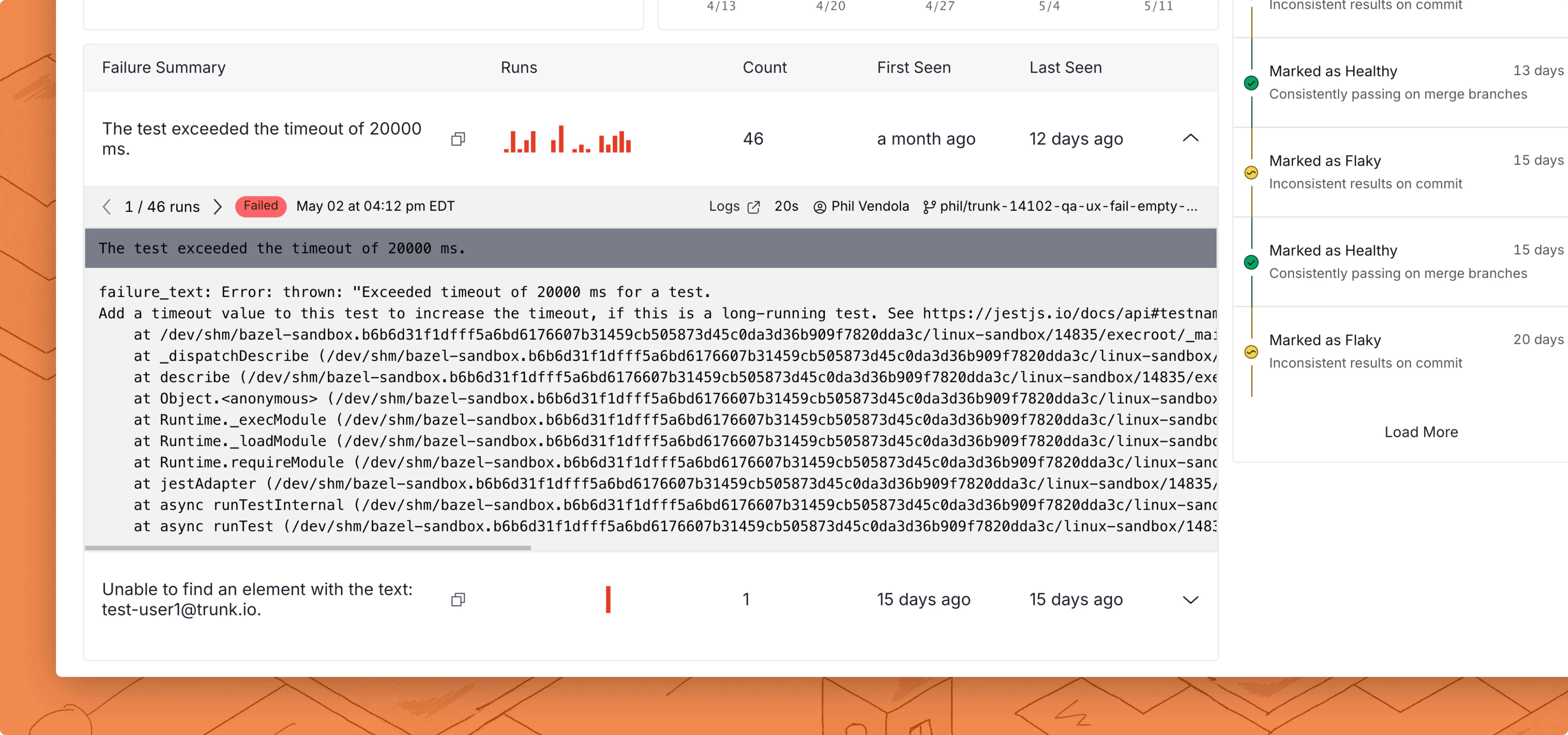
Investigate flaky failures
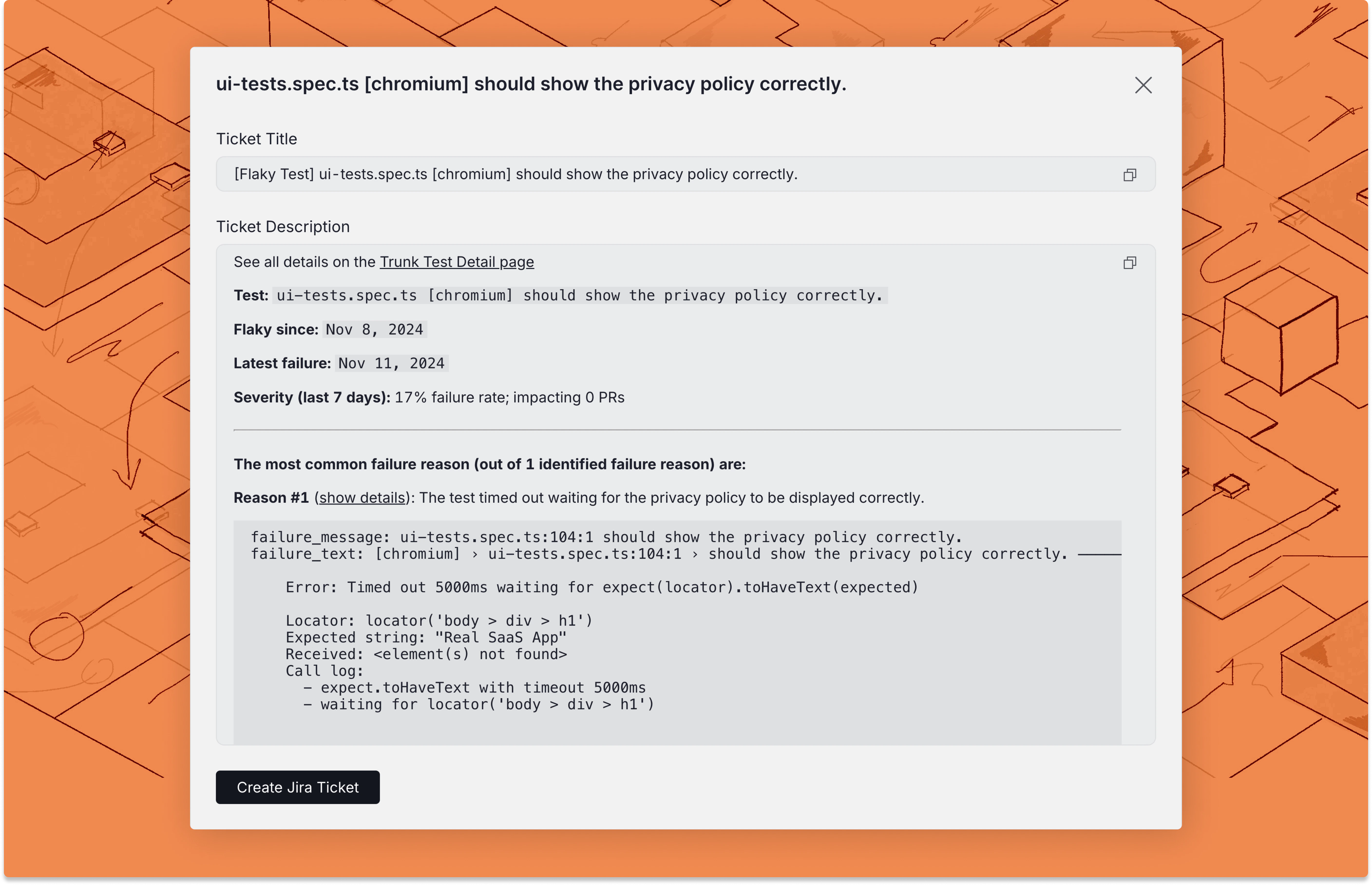
Flaky Tests creates detailed reports for individual test failures so you can debug faster.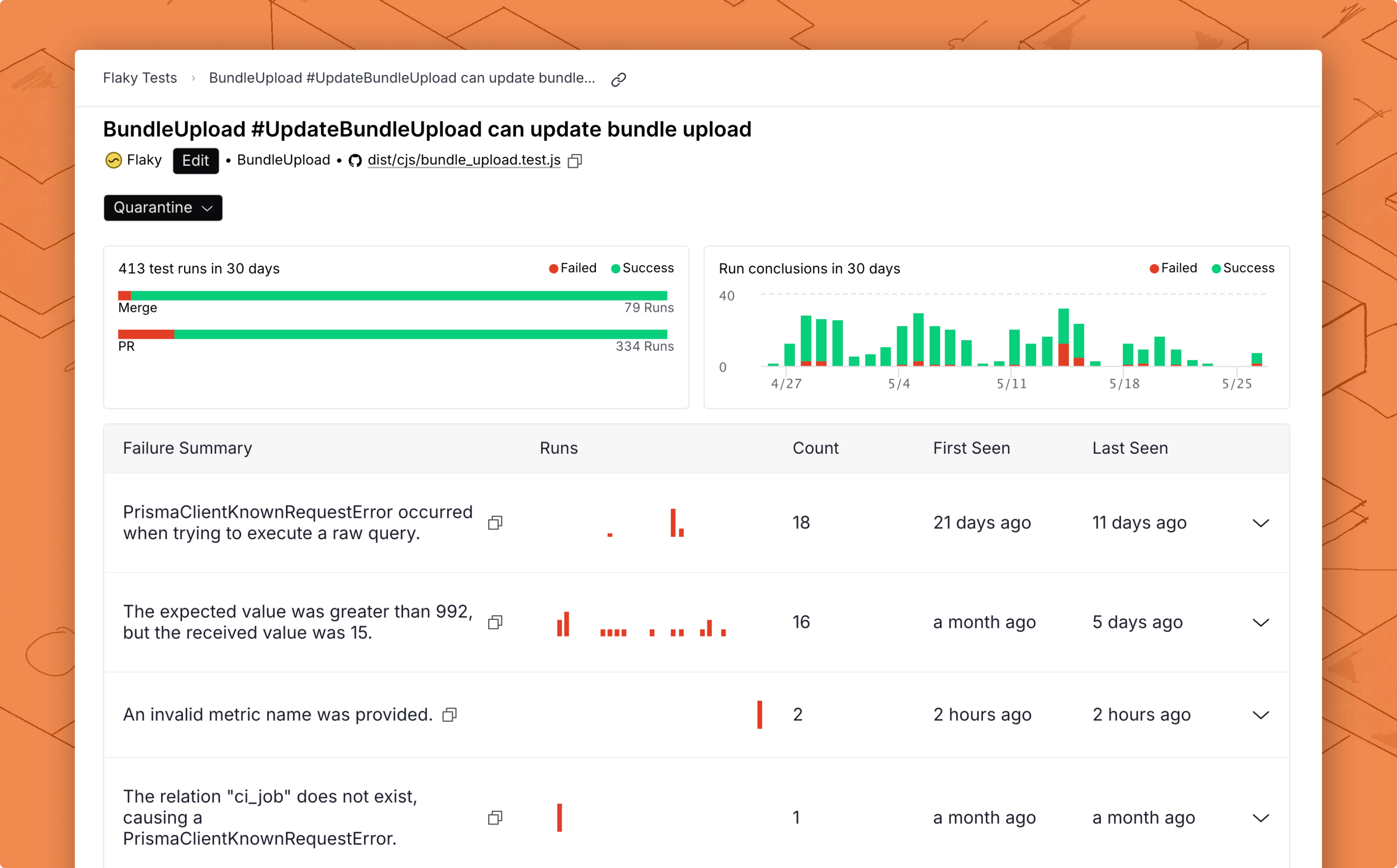
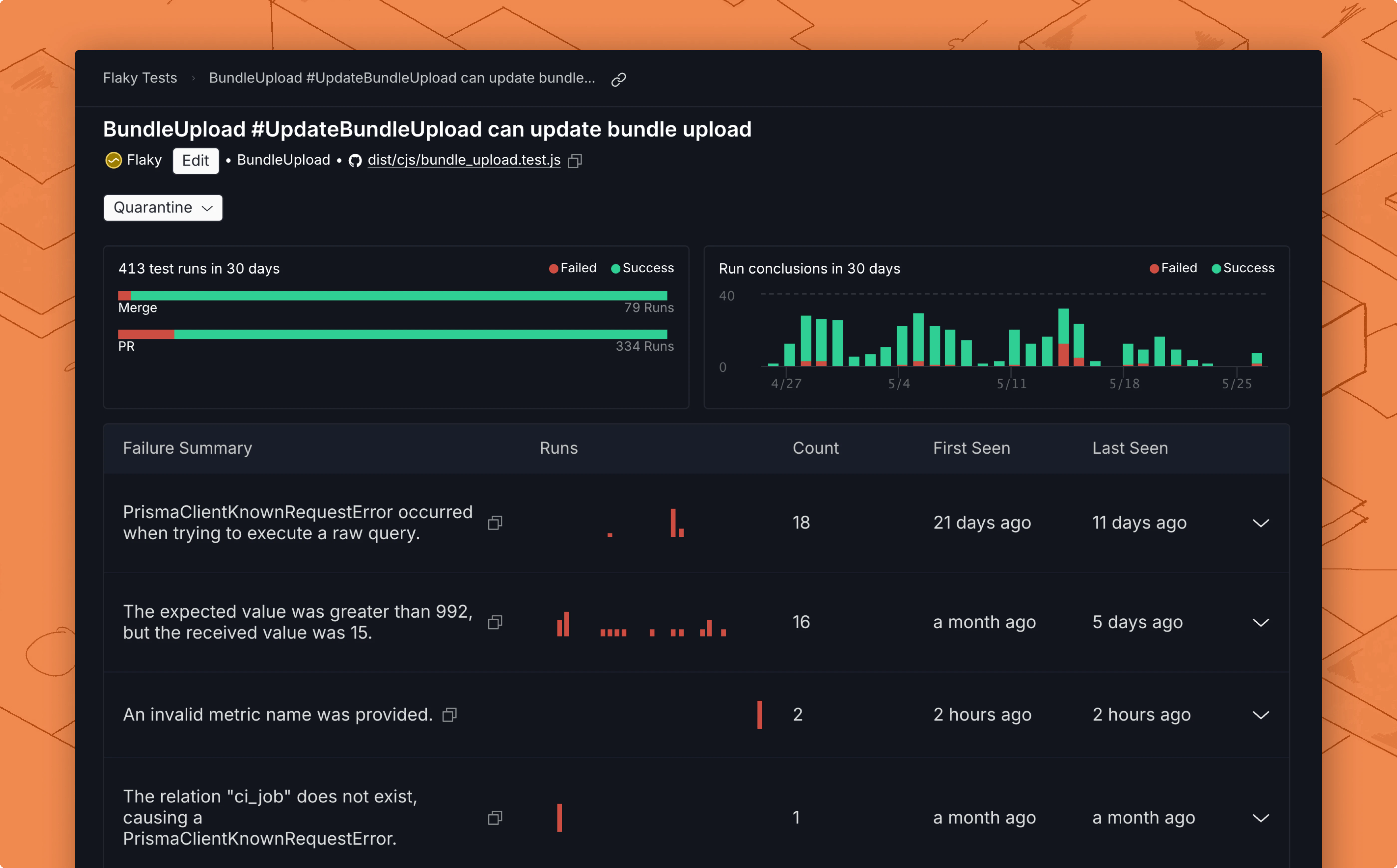
Quarantine flaky failures
Flaky Tests allows you to quarantine detected flaky tests, stopping them from failing your CI jobs. This prevents failed flaky tests from impacting your CI pipelines, so you won’t have to disable tests and won’t be slowed down by flaky CI jobs.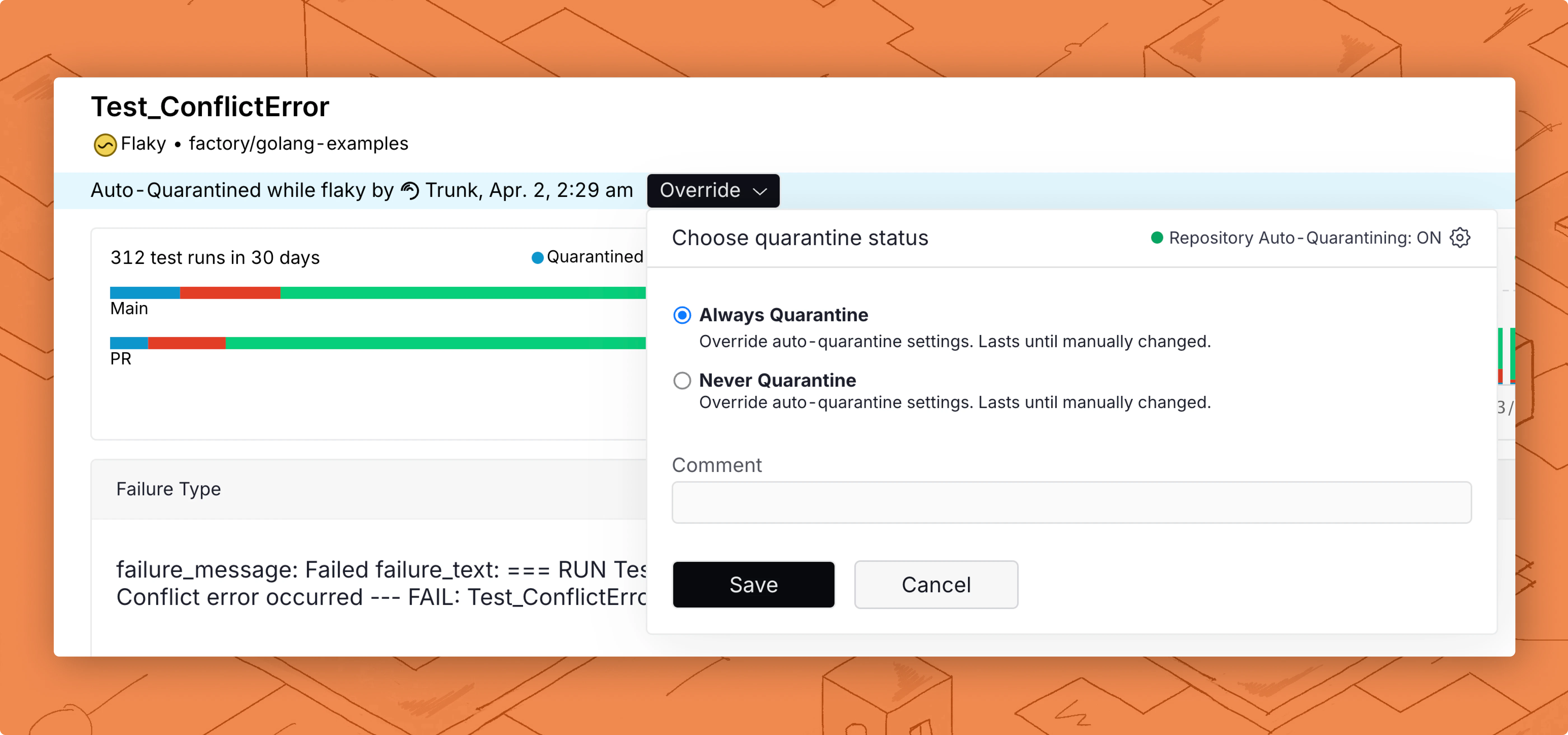
Manage tickets